Timers, Streaks, Widgets, and Live Activities in Synk AI
How Synk AI supports daily wellness routines with timed activities, streak tracking, widgets, Live Activities, and background recovery.
Key takeaways
- Timed activities help users track workouts, walks, meditation, breathing, and focus sessions.
- Activity streaks and daily streaks give different views of consistency.
- Widgets and Live Activities make active routines easier to access.
- Timer recovery helps preserve sessions when the app moves to the background.
Timed routines need dedicated support
Some health actions are not simple checkboxes. A workout, walk, meditation, breathing session, or focus block has duration and state. The app needs to know whether the timer is active, paused, resumed, or recovered after backgrounding.
Synk AI supports timed activities so these routines can be part of the same goal and activity system as simpler habits.
Streaks show consistency from two angles
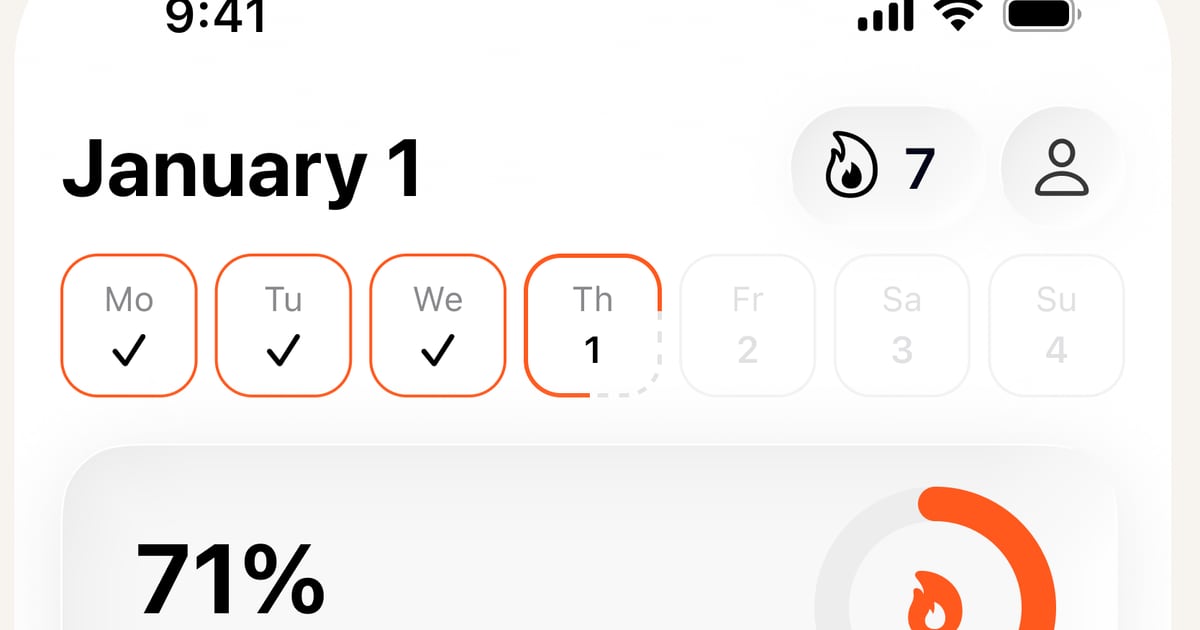
Synk AI uses activity streaks and daily streaks. Activity streaks show consistency for a specific routine, such as stretching or hydration. Daily streaks show whether the full scheduled plan was completed.
Both signals matter. A user might be consistent with one important activity while still learning how to make the full daily plan realistic.
- Activity streaks track consistency per routine.
- Daily streaks track completion of the scheduled day.
- Streak freeze can support Pro users who need more flexibility.
- Streaks work best when paired with reflection and plan adjustment.
Widgets reduce friction
Widgets can make a wellness app more practical because the user does not always need to open the full app to see what matters. Shared snapshots can surface useful daily state.
This helps Synk AI act like an operating layer for wellness rather than a destination the user only checks occasionally.
Live Activities support active timers
Live Activities are useful when a timed activity is currently running. They help the user stay aware of the active session without constantly returning to the app.
That is especially useful for workouts, walks, breathing, meditation, and other routines where the timer is part of the action.
Build the daily plan behind your wellness goals
Synk AI turns goals, activities, journals, and HealthKit-derived progress into a clear daily action plan.
Explore Synk AI